
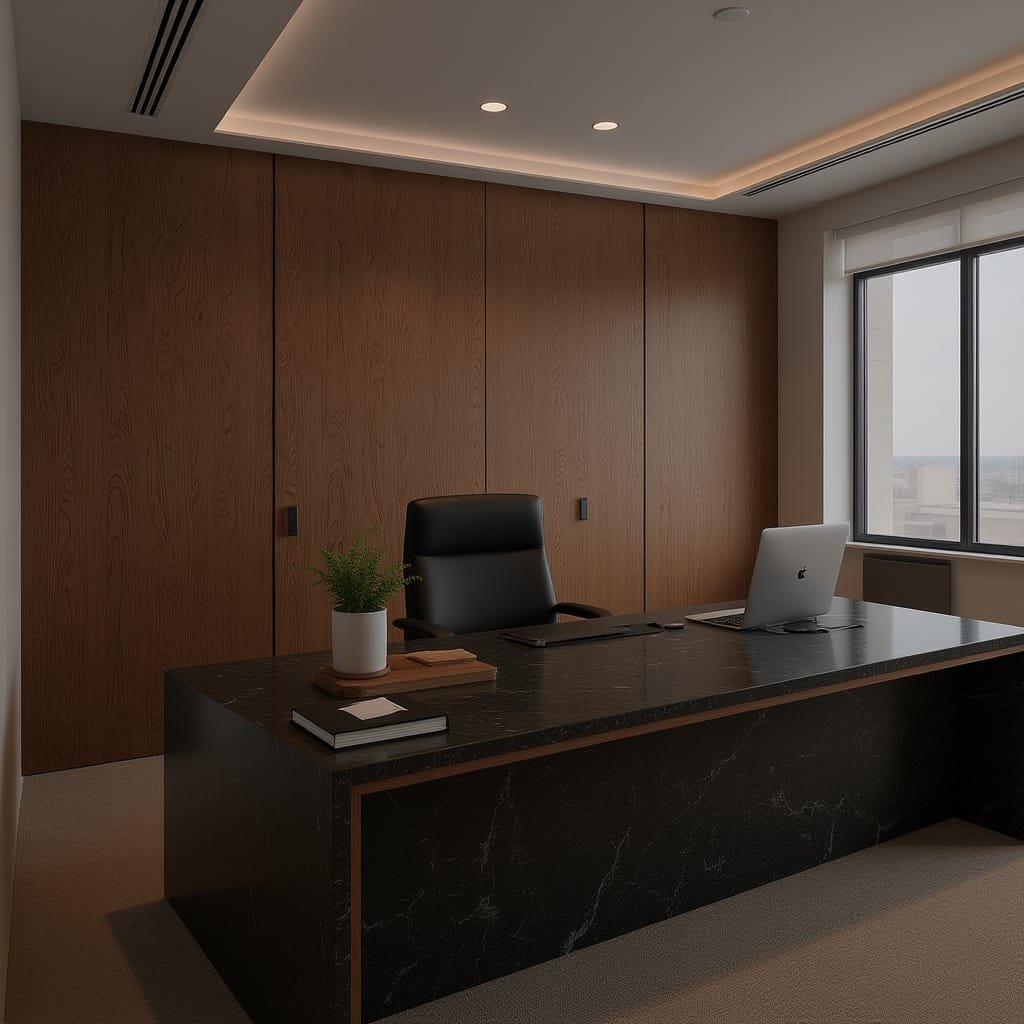
For budding entrepreneurs building a business from home, the home-based office setup quietly becomes a client meeting environment, whether the handshake happens at the door or through virtual client meetings. The tension is real: great work can feel smaller when the space behind it looks temporary, distracting, or apologetic. Clients read signals fast, and a room that feels scattered can make even confident expertise sound uncertain. With thoughtful professional workspace design, the space starts telling a steadier story before a single word is spoken.
Set Up a Client-Ready Home Office, Step by Step

A few deliberate tweaks can turn any corner of your home into a space that supports calm, convincing conversations. This process helps you create a clear flow for working and meeting, so clients experience you as prepared and in control.
- Claim a dedicated zone for work
Start by choosing one consistent spot and commit to separate your workspace from the rest of your daily life, even if it is just a desk and chair behind a screen. This boundary lowers distractions and helps you “arrive” mentally before a call or a conversation. A simple, repeatable setup reads as steady to clients. - Arrange the layout for a clean first impression
Choose a background wall or angle you can keep visually quiet, then place your desk so clutter stays out of the camera frame and out of a guest’s sightline. Use allocating zones to give everything a home: work surface, storage, charging, and a small “meeting” area if you have space. When your tools are easy to reach, your attention stays on the client. - Get ergonomics right to sound more confident
Adjust your chair height so your feet feel grounded and your shoulders relax, then position your screen at eye level so you are not hunching or craning. Comfort is not a luxury here; it directly affects your voice, your patience, and your ability to think clearly. Add a cushion, a footrest, or a book under your monitor before you buy anything new. - Upgrade lighting for clarity and trust
Sit facing a window when possible, or place a lamp in front of you at about face height to reduce harsh shadows. Do a quick test call to check for glare on glasses and shiny surfaces, then adjust one element at a time. Good lighting helps clients read your expressions easily, which makes your words land with more certainty. - Make your meeting tech quietly excellent
Confirm your microphone sounds clean and your camera is stable, then simplify your desktop with only the tabs and notes you need for that conversation. Features that suppress background noise can save you from distractions you cannot control and keep the focus where it belongs. Aim for “effortless” on the client’s side: clear audio, clear video, clear attention.
Protect Your Workday: Budget for Breakdowns Before They Hit
When you run a business from home, an electrical issue or a sudden failure in a core home system can stop work in its tracks, screens go dark, calls get canceled, and momentum slips. That’s why it can be worth budgeting for protection up front, not just for aesthetics and gear, but for the unglamorous systems that keep your workday stable. A home warranty can act as that backstop: customizable annual service plans that help cover repair or replacement of major home systems and appliances, with optional add-ons, so you’re better able to manage unexpected repair costs from normal wear and tear. If you want to explore what that kind of coverage could look like for your home setup, give this page a visit and see the options.
Five-Minute Client-Ready Home Office Checklist
With that safety net in mind: This quick checklist helps you walk into every call feeling steady, prepared, and proud of your space. Run it before meetings to catch small friction points that quietly chip away at confidence.
✔ Confirm lighting and camera angle flatter your face and background.
✔ Test internet speed, microphone clarity, and backup hotspot readiness.
✔ Clear the desk surface and stage one simple, professional focal point.
✔ Set a comfortable chair height and screen position for relaxed posture.
✔ Reduce noise with a closed door, soft furnishings, or white noise.
✔ Organize key documents and links in one labeled folder for fast access.
✔ Check power strips, chargers, and spare batteries are within reach.
Do this once, breathe deeper, and let your work speak first.
Home Office Q&A: Space, Tech, and Confidence
Q: How can I look professional if my office is a tiny corner of a room?
A: Choose one “client-facing” angle and let everything else fall outside the frame. A plain wall, a tidy shelf, or a curtain can become your visual anchor in minutes. Keep one intentional object in view, like a notebook or plant, to signal calm and clarity.
Q: What should I do when noise or interruptions are unavoidable?
A: Set expectations before the call: “You may hear some background sound, but I’m fully with you.” Use soft materials like a rug or throw to absorb echo, and keep a simple mute habit when you are not speaking. If you can, add a consistent white-noise source outside the door.
Q: What are the best virtual meeting habits when something goes wrong mid-call?
A: Pause, name the issue briefly, and offer a clear option: “I’m switching audio, give me ten seconds.” Keep a backup plan ready, like dialing in by phone or using a hotspot. Clients trust steadiness more than perfection.
Q: Should I buy expensive gear to impress clients?
A: Not at first. Prioritize a comfortable chair, reliable audio, and flattering light since they affect how you show up. If you want reassurance that home setups can perform well, some reports note remote workers can be 35-40% more productive when the basics support focus.
Build a Home Office That Signals Professional Confidence Daily
It’s easy to feel caught between doing real work and worrying how your space looks when a client meeting pops up. The answer isn’t chasing perfection; it’s reflective workspace planning that treats the environment as entrepreneur workspace motivation and a steady part of your client impression strategies. When the space supports focus and shows care, the professional home office benefits compound into calmer calls, clearer decisions, and more confidence in business setup, because the room stops feeling like an apology. Your workspace is a daily signal of the professional you’re becoming. Choose one next step today: remove what distracts, align what represents you, and let the rest be simple. That small act builds stability that carries into every conversation, project, and season of growth.